Best 3D Printers for Home Use: Top 6 Picks (October 2026)
The best 3D printers for home use include the Bambu Lab A1 for first-time home users, the Bambu Lab P1S for varied material projects, and the Flashforge Adventurer 5M for practical household parts.
On this page (8 sections)
- Which 3D printers for home use suit different needs?
- The best 3D printers for home use
- How do you choose a home printer around real projects?
- Where should a 3D printer go at home?
- What should you do before the first home print?
- How do you keep home printing useful and manageable?
- Which mistakes waste the most time at home?
- Which best 3D printer for home use should you choose?
The best 3D printer for home use for most beginners is the Bambu Lab A1, because automatic calibration removes several setup chores and its build area suits varied household projects. Choose the Bambu Lab P1S if your material plans call for an enclosure.
Start with what you'll actually make: drawer dividers, replacement knobs, hobby models or colorful signs. That choice tells you more about the printer you need than a headline speed figure.
If you're new to the process, start with our 3D printer buying guide for beginners. For useful project ideas, see what you can make with a 3D printer at home.
Our picks at a glance
-
1

-
2
-
3
Which 3D printers for home use suit different needs?
Choose the A1 for a first home printer, the P1S for varied material projects and the Centauri 2 Combo for colorful hobby models. The remaining picks suit buyers who place more weight on nozzle changes, automatic filament handling or an enclosed workroom setup.
CleverAisle compared calibration, usable model size, material options and routine care. Scores reflect those features and their fit for home use; the most useful choice depends on which jobs you'll repeat.
| Product | Best for | Calibration | Color printing | Key feature | Our score |
|---|---|---|---|---|---|
| Bambu Lab A1 | first-time home users | Full-auto calibration | Requires AMS lite | 1-Clip quick-swap nozzle | 8.8 |
| Bambu Lab P1S | varied material projects | Automatic bed leveling | Up to 16 colors with AMS | Fully enclosed body | 8.4 |
| Flashforge Adventurer 5M | practical household parts | One-click automatic bed leveling | No multicolor system specified | Quick-swap nozzle | 7.9 |
| Elegoo Centauri 2 Combo | colorful hobby models | Full-auto calibration and pre-print checks | Four-color CANVAS system | RFID recognition and auto refill | 7.8 |
| Flashforge AD5X | repeat multicolor projects | One-click auto leveling | Up to four colors | Automatic filament feeding and retraction | 7.3 |
| Flashforge Adventurer 5M Pro | dedicated home workrooms | One-click full auto leveling | No multicolor system specified | Enclosure, filtration and camera | 7.2 |
The best 3D printers for home use
The A1 is the starting point for most homes; move to another pick when it solves a clear need. These models appear in score order, with the reasons to choose or skip each one below.
Bambu Lab A1
- 256 x 256 x 256 mm build volume
- Full-auto calibration
- Active motor noise canceling
- Optional AMS lite multicolor system
A strong starting point for household parts, organizers and hobby models, with automatic calibration that reduces manual setup. Add AMS lite only if multicolor projects become a regular need.
Pros
- Automatic Z-offset and bed leveling
- Room for larger household models
- LAN-only connection option
Cons
- AMS lite required for multicolor printing
- Needs working clearance beyond the printer body
Bambu Lab A1: the best home 3D printer for first-time users
Choose the A1 if you want to make useful objects without learning every calibration step first. Its full-auto calibration handles Z-offset, bed leveling, vibration resonance and nozzle pressure before each print.
The 256 x 256 x 256 mm build volume gives you room for larger organizers and hobby models. Still, check the actual model dimensions before buying, since supports and orientation can affect whether an object fits.
Active flow rate compensation adjusts extrusion using sensor readings. The touchscreen and 1-Clip quick-swap nozzle also address tasks you'll encounter after the first successful print.
Bambu Lab includes active motor noise canceling, which is relevant if your workbench shares space with a desk. Fans and moving parts still make sound, so plan its location around long jobs.
Multicolor printing requires AMS lite, bought separately or through the A1 Combo. Skip the extra color hardware initially if your project list is mostly brackets, spacers and storage parts.
Choose a different model if an enclosed print area is a firm requirement. Our guide to the best 3D printers for beginners helps you weigh starter features across the wider category.
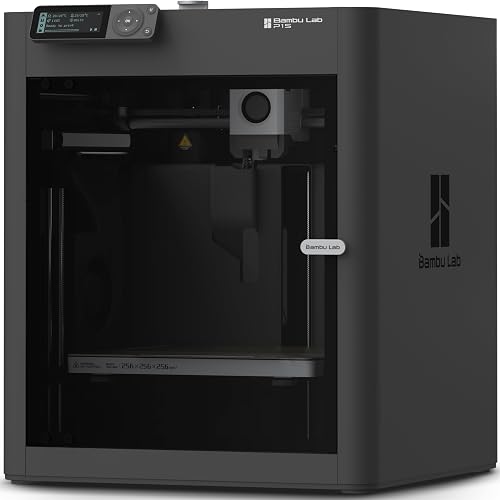
Bambu Lab P1S
- Fully enclosed body
- Automatic bed leveling
- Optional AMS multicolor printing
- Supports ABS and ASA
Choose the P1S when an enclosure and a wider material plan matter more than a basic starter setup. Its material support still needs to be matched to the demands of each project.
Pros
- Enclosed print area
- Supports several common and advanced filaments
- Automatic bed leveling
Cons
- AMS required for multicolor printing
- Carbon and glass fiber reinforced polymers are not recommended
Bambu Lab P1S: for a broader material plan
Choose the P1S when you already have a reason to use an enclosed printer, rather than buying an enclosure simply because it looks tidier. It combines a covered print area with automatic bed leveling.
Its supported materials include PLA, PETG, TPU, PVA, PET, ABS and ASA. PA and PC are described as capable options, while carbon and glass fiber reinforced polymers are not recommended.
That range matters if your plans extend beyond decorative models. Material choice affects flexibility, heat tolerance and outdoor use, but the exact filament and part design still determine whether a print suits its job.
Bambu Lab claims a 15-minute setup. Leave additional time to choose a suitable location, learn the software and prepare your first model instead of planning around that figure alone.
Multicolor printing requires a connected Bambu Lab AMS system, with support for up to 16 colors. Don't make that capacity the deciding factor if your typical design uses only one or two.
Skip the P1S if you only want simple starter projects and have no need for its enclosure or material range. Read whether a 3D printer needs an enclosure before treating a covered body as essential.
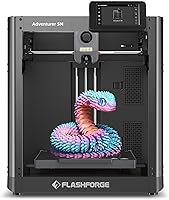
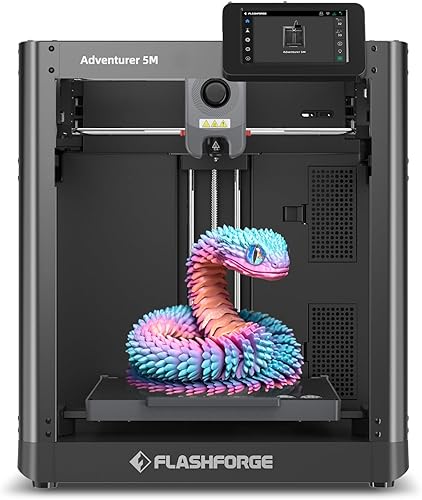
Flashforge Adventurer 5M
- Automatic bed leveling
- 220 x 220 x 220 mm build volume
- Quick-swap nozzle
- Flash Studio remote monitoring
A focused choice for single-color projects when easy nozzle changes matter more than color handling. Its build area suits many organizers, brackets and small hobby models.
Pros
- Automatic bed leveling
- Dual-sided PEI platform
- Optional nozzle sizes for different jobs
Cons
- Smaller build volume than the A1
- Alternative nozzle sizes require a separate choice
Flashforge Adventurer 5M: for useful single-color parts
Choose the Adventurer 5M if your main projects are functional objects and you value easy nozzle changes over a color system. Its automatic bed leveling handles a common setup task.
The 220 x 220 x 220 mm build area suits many small organizers, brackets and hobby pieces. Measure long parts carefully, since a narrow object can still exceed the available bed space.
Flashforge describes the detachable nozzle as allowing 3-second changes. Follow the nozzle replacement procedure and temperature guidance rather than treating that claim as permission to handle a hot component.
A standard 0.4 mm nozzle is included, with optional sizes from 0.25 to 0.8 mm. Those choices become useful when you learn whether your projects favor small details or thicker, faster-built walls.
The dual-sided PEI platform gives you a removable print surface. Flash Studio supports remote progress checks, settings changes and status alerts.
Skip this model if multicolor is your main goal, or if the projects you want already exceed its build area. The beginner printer guide explains which core features deserve attention before optional extras.
Elegoo Centauri 2 Combo

- Four-color CANVAS printing
- Full-auto calibration
- Pre-print checks and 22 sensors
- 5-inch touchscreen
The CANVAS system makes this a good fit for buyers planning colorful models from the start. Automatic calibration and direct touchscreen controls help manage that more involved workflow.
Pros
- Four-color printing with CANVAS
- Automatic refill and RFID filament recognition
- Maintenance features include a semi-automatic belt tensioner
Cons
- Color handling adds steps for simple projects
- Tall body needs careful workspace planning
Elegoo Centauri 2 Combo: for colorful hobby models
Choose the Centauri 2 Combo if colorful signs, decorative models and similar projects are the reason you want a printer. Its CANVAS four-color system makes color handling central to the setup.
CANVAS includes RFID filament recognition and automatic refill. Full-auto calibration and pre-print checks reduce manual preparation, while 22 sensors monitor the print process.
These aids don't remove the need to assign colors correctly in the slicer. Start with a small design that uses a few color changes so you can understand the workflow before attempting a long display piece.
The 5-inch touchscreen provides controls at the machine. A magnetic printhead cover, semi-automatic belt tensioner and nozzle wiper address routine access and care.
Plan space carefully: the printer body measures 19.69 x 18.9 x 23.23 inches. Include overhead access and filament handling space when deciding whether a shelf or workbench will work.
Skip it if nearly everything you want is single-color or your available space is tight. Our guide to the best multicolor 3D printers helps you decide how much color capability you'll use.
Flashforge AD5X

- Up to four colors
- Automatic filament feeding and retraction
- 220 x 220 x 220 mm build volume
- Power-loss resume
Consider the AD5X for repeated color projects where automatic filament handling is useful. Optional nozzle sizes also let you favor finer detail or larger, quicker parts.
Pros
- Four-color capability
- Automatic filament handling
- Remote monitoring through Flash Maker
Cons
- Smaller build volume than the A1
- Specialized nozzle sizes are optional upgrades
Flashforge AD5X: for repeated color projects
Choose the AD5X if you plan to repeat multicolor designs and want automatic filament feeding and retraction. It supports up to four colors and uses one-click auto leveling for bed setup.
Its 220 x 220 x 220 mm build volume matches the Adventurer 5M. That makes the choice between them more about your color workflow than extra room for a larger object.
The AD5X includes a 0.4 mm nozzle, with optional 0.25, 0.6 and 0.8 mm sizes. Start with the included size before buying alternatives, then choose based on a recurring need for finer detail or larger parts.
Power-loss resume provides a recovery option after an interruption. It isn't a promise that every interrupted print will finish cleanly, since the part must remain attached and conditions can change while power is off.
Flash Maker provides remote monitoring and control. Use it to check progress while remaining available to respond if a job needs attention.
Skip the AD5X if color is only a vague future interest. A simpler project plan gives you a clearer reason to choose the A1 or Adventurer 5M.
Flashforge Adventurer 5M Pro

- Fully enclosed chamber
- Dual filtration system
- Built-in camera
- Automatic bed leveling
An option for a planned home workroom where enclosure, filtration and camera monitoring each serve a purpose. Follow material-specific ventilation guidance even with its enclosed chamber.
Pros
- Enclosed chamber with dual filtration
- Camera monitoring and time-lapse video
- Filament detection and power-loss recovery
Cons
- Extra features may be unnecessary for basic projects
- Filters do not remove the need for suitable ventilation
Flashforge Adventurer 5M Pro: for a planned home workroom
Choose the Adventurer 5M Pro when you have a dedicated workspace and want an enclosure, filtration and camera monitoring together. Each feature should serve a purpose in your room and project plans.
The fully enclosed chamber helps maintain a more stable printing environment. Its dual filtration system is an added feature, while suitable ventilation remains part of the setup.
A built-in camera supports remote viewing and time-lapse video. Filament detection and power-loss recovery add useful ways to manage interruptions during longer projects.
Material support includes PLA, PETG, ABS, ASA and PETG-CF. Confirm the requirements of the exact filament before choosing a profile or planning a finished part.
Flashforge claims operation below 50 dB, but room acoustics and printer placement affect what you hear. Don't choose a bedroom location on that claim alone.
Skip the Pro if basic PLA projects are your whole plan and the enclosure, filters and camera won't earn their place. Also account for filter care and maintenance access when planning the workbench.
How do you choose a home printer around real projects?
Choose around your next 3 projects, their dimensions and their material needs. This prevents you from paying for color capacity or speed while overlooking the feature that determines whether your object can be made.
Measure the finished object before the printer
Build volume describes the available printing space, not the size of every object you can produce without planning. A model may need supports, a brim around its base or a different orientation.
Download a representative model and open it in a slicer before deciding. Check whether it fits at full size and whether splitting it into pieces would create joints you don't want.
For fitted parts, measure the mating object and allow for clearance. Print a small section of the connection first instead of discovering a tight fit after a long full-size job.
Match filament to the job
PLA is a sensible starting material for learning the basic workflow. It's useful for many indoor organizers and display models, but heat exposure can make it unsuitable for some locations.
A part for a hot car, outdoor use or repeated flexing needs a more deliberate material choice. Check the filament's guidance and the exact printer's support before assuming a hotter nozzle solves every requirement.
Our guide to filament for beginners explains the practical differences between PLA, PETG and other options. Keep the first spool simple so material behavior doesn't complicate learning.
Choose color only when it improves the object
Multicolor is useful for readable labels, signs and decorative details. A storage bin or cable bracket often works just as well in one color.
Color changes can increase printing time and create discarded filament. Review the slicer's estimates for the complete job, including supports and color changes, rather than judging the model by its visible size.
You can also design separate colored pieces and assemble them afterward. Our explanation of AMS on a 3D printer helps clarify what automatic color handling adds to the workflow.
Where should a 3D printer go at home?
Place it on a stable, level surface in a suitable ventilated workspace, with access for maintenance. Measure the complete working area before ordering, including filament paths and any moving sections.
Leave more room than the body dimensions
The A1 measures 21.76 x 20.83 x 12.87 inches, while the P1S measures 15.31 x 18.03 x 15.31 inches. These figures describe the printer bodies and aren't a complete workspace plan.
Allow room to load filament, remove prints, open doors or covers and reach the rear. Avoid shelves that force sharp bends in filament paths or make routine cleaning awkward.
Plan around people, pets and noise
Keep hot components and moving parts beyond the reach of children and pets. Adult supervision matters even when a printer has automatic calibration or a covered print area.
A firm table can reduce movement that a light desk might amplify. If you work beside the machine, our guide to making a 3D printer quieter covers placement and noise reduction.
Treat ventilation as a separate decision
An enclosure helps control the conditions around a print, but it doesn't establish that the surrounding room is suitable. Filters also need care and don't remove every placement concern.
Follow the printer and filament instructions, especially when moving beyond basic materials. Avoid choosing a small closed room merely because the machine fits inside it.
What should you do before the first home print?
Start with one small, simple model and the correct printer profile. A short first job lets you learn loading, slicing, adhesion and removal without committing to a large project.
Prepare the machine and software
Remove shipping restraints and complete assembly exactly as instructed. Check that cables and filament paths are clear before powering the printer or starting calibration.
In the slicer, select the exact printer, nozzle size and filament type. A profile for a similar machine can still use unsuitable limits or start instructions.
Run the required calibration steps and keep the first print modest. A simple tray or small organizer is easier to judge than a tall model with overhangs and many supports.
Watch the first layer
The first layer should attach evenly, with neighboring lines joining rather than dragging loose across the bed. Stop if filament collects around the nozzle or the model starts moving.
Check bed cleanliness, the chosen material profile and the calibration procedure before changing several settings. Automatic leveling handles bed measurements; it doesn't clean the surface or correct every slicing mistake.
Remove and check the finished part
Let the print surface cool and follow its removal instructions. Avoid forcing a scraper toward your hand or bending a removable plate beyond its intended use.
Check dimensions and fit before printing a batch. A small clearance change is easier to make after one sample than after filling the bed with parts that don't fit.
How do you keep home printing useful and manageable?
Keep the build surface clean, store filament carefully and make one change at a time when solving problems. These habits prevent small issues from turning into repeated failed jobs.
Keep a small care routine
Clean the build surface using the method recommended for its coating. Handle it by the edges when possible, since skin oils can affect adhesion.
Check for filament debris around the nozzle and moving areas. Follow the maintenance schedule for lubrication, belts, fans and filters instead of applying oil or tightening parts by guesswork.
Store opened filament in a sealed container with suitable desiccant. Popping during extrusion, excess stringing or rough surfaces can point to moisture, though temperature and other settings can cause similar symptoms.
Change nozzle size for a clear reason
A smaller nozzle can help with fine features, while a larger one can suit thick walls and larger parts. Neither choice automatically improves every model.
When changing size, update the slicer profile and follow the printer's replacement procedure. Start with a short print before committing to an important job.
Save the settings that work
Keep notes on the filament, profile and any changes that produced a useful result. This is especially helpful for parts you'll replace or make again months later.
Use clear file names that include size or revision details. Keeping the editable design alongside the printable file makes a future dimension change much easier.
Which mistakes waste the most time at home?
The biggest avoidable mistakes are choosing by maximum speed, starting too large and ignoring orientation. Good preparation often saves more time than pushing the printer harder.
Comparing headline speed instead of job time
Maximum motion speed doesn't describe how fast every wall, corner or small detail will print. Layer height, cooling, supports and material settings all affect the finished job.
Compare slicer estimates for the same model at similar quality settings. Read our guide to how 3D printers work if the steps from model to finished object are unfamiliar.
Using too much infill without considering design
More infill adds material and time, but it doesn't fix poor orientation or thin walls. A part's shape and the direction of its layers can matter more to its usefulness.
For a functional object, consider where force will act and where layers could separate. Avoid relying on casual home prints for safety-critical loads.
Making the first project too complicated
Large models, moving assemblies and dense supports introduce several problems at once. Begin with a useful object that sits flat and has a straightforward shape.
Learn one new feature per project, such as supports, a fitted joint or color changes. That makes the cause easier to find when the result needs adjustment.
Which best 3D printer for home use should you choose?
Choose the Bambu Lab A1 for a first printer focused on everyday household and hobby projects. Choose the P1S when your planned materials give you a clear reason for an enclosed machine.
Pick the Adventurer 5M for practical single-color work and nozzle flexibility. Choose the Centauri 2 Combo for colorful hobby models, or compare the AD5X when automatic filament handling fits repeated color projects.
The Adventurer 5M Pro fits a dedicated workroom where its enclosure, filtration and camera each have a role. For the best 3D printer for home use, let your actual projects and available workspace settle the decision.
Before ordering, measure the space and open one planned model in a slicer. For help checking your priorities, browse our guide to beginner 3D printers.
Our top 3 picks at a glance
-
1
-
2
-
3
Frequently asked questions
Which 3D printer is best for home use?
The Bambu Lab A1 is the best home choice here for most beginners because its automatic calibration reduces manual setup and its build area accommodates varied projects. Choose the P1S instead if an enclosure supports your material plans, or the Centauri 2 Combo if colorful models are your main reason to print.
Should I choose an enclosed 3D printer for home use?
Choose an enclosed printer when your planned filament benefits from a more stable printing environment and the printer supports that material. An enclosure is less central to basic PLA projects.
Plan ventilation separately, keep children away from hot and moving parts, and follow the printer and filament instructions.
Do I need multicolor printing at home?
Multicolor printing is useful for signs, decorative models and designs where separate colors improve the finished object. Most brackets, spacers and organizers work well in one color.
Color changes can add print time and waste, so compare the sliced project estimate before committing to a long multicolor job.
What should I check before placing a 3D printer at home?
Check the full working space, suitable ventilation and access to a stable table before choosing a printer. Leave room for moving parts, filament paths and maintenance, rather than measuring only the body.
Keep the printer away from children and pets, and avoid a location where noise will interrupt sleep.