Best 3D Printers Under $300: Top 7 Picks (October 2026)
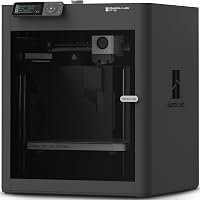
The best 3D printers under 300 dollars include the Bambu Lab A1 for larger beginner projects, the Bambu Lab A1 mini for small creative spaces, and the Anycubic Kobra X for colorful gifts.
On this page (7 sections)
- Which is the best 3D printer under 300 dollars for your projects?
- How do these budget printers compare beyond speed?
- How should you choose a budget 3D printer for your models?
- How should you set up your first budget 3D printer?
- What care keeps a budget printer useful?
- Which beginner mistakes waste the most time and filament?
- Which 3D printer under 300 dollars should you choose?
The Bambu Lab A1 is our first choice for the best 3D printer under 300 dollars if the complete setup fits your budget. Choose it for varied beginner projects, the A1 mini for limited workspace, or the Anycubic Kobra X for colorful models.
Treat your budget as a limit for the whole setup, including filament and any required accessories. These recommendations compare features and buyer fit; they do not establish that every package falls below your cap.
For the basics, start with our beginner 3D printer guide. Our best 3D printers for beginners roundup also helps if your budget has some room.
Our picks at a glance
-
1

-
2

-
3

Which is the best 3D printer under 300 dollars for your projects?
The A1 offers the strongest starting point for varied projects, while the A1 mini favors small work areas and the Kobra X favors color. Start with what you plan to print, then choose the features that remove work from that task.
A drawer organizer needs enough build room, a decorative sign may benefit from multiple colors, and a flexible part needs suitable filament support. Those needs are more useful than choosing the highest advertised speed.
Bambu Lab A1
- 256 x 256 x 256 mm build volume
- Automatic calibration
- Optional AMS lite multicolor printing
- 1-Clip quick-swap nozzle
The A1 suits beginners who want room for organizers, models and larger parts without handling each calibration step manually. Multicolor printing requires AMS lite.
Pros
- Automatic bed leveling and Z-offset calibration
- Room for larger one-piece projects
- Quick-swap nozzle for maintenance
Cons
- Multicolor printing requires additional equipment
- Needs workspace beyond the build area
The Bambu Lab A1 suits a first-time buyer who wants to make many kinds of objects without handling each calibration step manually. Its automatic routines cover bed leveling, Z-offset, vibration resonance and nozzle pressure.
The 256 x 256 x 256 mm build volume leaves room for organizers, models and larger parts. Measure your intended design in its printing orientation, since a tall or wide object can still exceed one axis.
Active flow rate compensation adjusts extrusion using sensor readings. The touchscreen and 1-Clip quick-swap nozzle also address everyday controls and maintenance.
Choose the A1 if you expect your projects to grow beyond small decorations. Skip it if your shelf cannot accommodate the printer's full working space or you need multicolor printing without adding AMS lite.
The A1 also offers LAN-only mode, which matters if you prefer a local connection. For help weighing setup, workspace and other first-printer choices, read our guide to choosing a 3D printer.
Bambu Lab A1 mini
- Automatic calibration
- Compact design
- LED Lamp Kit included
- Bambu Handy app and MakerWorld access
The compact A1 mini suits small-project makers, and this package includes an LED Lamp Kit for compatible printed designs. Check model dimensions before choosing it for a specific project.
Pros
- Automatic calibration simplifies setup
- Included kit gives you a planned creative project
- Ready-to-print models through MakerWorld
Cons
- Check build dimensions before planning large prints
- Lamp kit needs a compatible printed model
The Bambu Lab A1 mini suits buyers planning small creative projects in a room with limited spare space. Automatic calibration and simple setup let a beginner focus on learning model preparation rather than starting with manual adjustments.
This package includes an LED Lamp Kit for compatible printed lamp designs. It gives you a clear first project, but you still need to choose a compatible model and follow the kit's assembly instructions.
MakerWorld provides ready-to-print models, and the Bambu Handy app supports print management. Start with a simple design before committing filament to a detailed lamp shade or a multi-part gift.
The machine measures 15.21 x 16.77 x 17.94 inches and weighs 12.1 lb. Allow extra clearance for movement, filament routing and access rather than treating those dimensions as the required shelf space.
Skip it if large one-piece objects are your main goal until you confirm their fit. Our best 3D printers for home use guide helps connect printer choices to the room you have.
Anycubic Kobra X
- Native four-color printing
- 49-point auto bed leveling
- 260 x 260 x 260 mm print size
- Wi-Fi and LAN connectivity
Built-in four-color printing makes the Kobra X a clear choice for signs, decorative models and personalized gifts. Filament is not included.
Pros
- Four-color printing built in
- Room for larger models
- Wi-Fi and LAN connectivity
Cons
- Filament must be bought separately
- Color changes add material planning and waste
The Anycubic Kobra X is the clearest fit here for buyers who want colorful signs, nameplates and gifts. Four-color printing is built in, so color is part of the starting setup rather than a later A1 accessory decision.
Its 260 x 260 x 260 mm build volume also suits larger decorative pieces. A hardened steel nozzle and 49-point automatic leveling are part of the machine's feature set.
Wi-Fi and LAN connections support remote control and monitoring through Anycubic's app and slicer. Anycubic also includes spaghetti and foreign-object detection to help flag problems.
Filament is not included, so plan the colors needed for your first designs. Start with a single material family instead of combining different filament types simply because the printer supports them.
Choose the Kobra X when color changes serve a real project. Skip it if you mainly want plain brackets and organizers, since extra colors add preparation and material use.
For a wider view of budget priorities, compare our best cheap 3D printers.
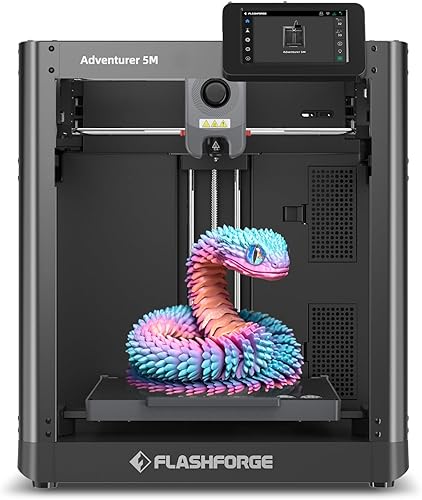
Flashforge Adventurer 5M
- Automatic bed leveling
- CoreXY structure
- Quick-change nozzle system
- 220 x 220 x 220 mm print size
The Adventurer 5M suits makers who want to change nozzle sizes for different kinds of projects. Its build area favors smaller parts over large one-piece models.
Pros
- Quick-change nozzle system
- Optional nozzle sizes for different projects
- Dual-sided PEI build platform
Cons
- Less build room than the A1 and Kobra X
- Optional nozzle sizes require separate accessories
The Flashforge Adventurer 5M suits makers who want to adapt the nozzle to different projects. Flashforge advertises 3-second nozzle changes, and optional sizes range from 0.25 mm to 0.8 mm alongside the standard 0.4 mm nozzle.
A smaller nozzle can suit fine details, while a larger one can lay wider lines for bulkier parts. Each change also needs the correct slicer profile, so quick replacement does not remove the preparation step.
The 220 x 220 x 220 mm build area favors smaller prototypes and household parts. Its CoreXY structure, automatic bed leveling and dual-sided PEI platform cover motion, setup and print removal.
Flash Studio supports remote monitoring, settings adjustments and alerts. Use those controls to check progress while keeping the printer in a suitable operating space.
Choose the Adventurer 5M if you expect to switch between detailed models and larger, simpler parts. Skip it for designs that regularly need a bigger bed, and include optional nozzles in your accessory plan.
Creality Ender 3 V3 SE

- CR Touch auto leveling
- Automatic Z-offset calibration
- Sprite direct drive extruder
- Flexible PC spring steel build plate
The Ender 3 V3 SE suits buyers focused on brackets, organizers and other practical projects. Automatic leveling and Z-offset calibration reduce first-layer adjustments.
Pros
- Automatic leveling and Z-offset calibration
- Direct drive supports PLA, PETG and TPU
- Flexible plate helps release prints
Cons
- Some assembly is required
- Lower advertised maximum speed than the Kobra X and Centauri 2
The Creality Ender 3 V3 SE suits buyers focused on practical parts rather than color effects. Its Sprite direct drive extruder supports PLA, PETG and TPU, covering rigid beginner projects and a path toward flexible prints.
CR Touch automatic leveling and automatic Z-offset calibration reduce first-layer setup work. Some assembly is required, so reserve time to follow the instructions and check that the frame sits square and secure.
The flexible PC spring steel plate helps release finished objects. Let the surface cool and follow Creality's removal guidance rather than forcing a part loose while the bed is hot.
Creality advertises a maximum speed of 250 mm/s. For functional parts, start with the recommended material profile and prioritize layer bonding and dimensions over chasing that limit.
Choose it for organizers, brackets and learning different everyday materials. Skip it if built-in color printing or automatic spool changes are central to your plans.
For a broader brand comparison, see our guide to Bambu Lab, Creality, Elegoo and Anycubic.
Elegoo Centauri 2

- Automatic calibration and pre-print checks
- CoreXY system
- 5-inch touchscreen
- Nexprint model library and remote app monitoring
Pre-print checks and a touchscreen suit beginners who want help preparing each job. Its maintenance features also suit a printer kept in regular use.
Pros
- Automatic calibration and pre-print checks
- Touchscreen controls
- Magnetic printhead cover and nozzle wiper
Cons
- Heaviest pick here at 30.1 lb
- Belt tensioning is semi-automatic
The Elegoo Centauri 2 suits a beginner who wants a guided routine before each print. Automatic calibration and pre-print checks handle setup tasks, while a 5-inch touchscreen provides controls at the machine.
Its calibration tools include automatic Z-offset, vibration compensation and pressure advance calibration. These address nozzle height, motion effects and extrusion behavior rather than asking you to adjust every setting from scratch.
The CoreXY system and rigid aluminum frame support its motion system. ELEGOO advertises speeds up to 500 mm/s, but the model and filament profile still determine a useful working speed.
Nexprint, ElegooSlicer and the ELEGOO Matrix app cover finding models, preparing files and monitoring progress. A magnetic printhead cover, nozzle wiper and semi-automatic belt tensioner help with upkeep.
Choose it for a dedicated workbench where it can stay in place. Skip it if you expect to move the printer often, since it is the heaviest choice here at 30.1 lb.
Read how a 3D printer works if you want to understand what those automatic routines control.
Creality SPARKX i7 Nano Combo

- Compact desktop design
- Auto feed and retract
- Automatic spool refill
- Auto leveling and AI camera
Automatic spool refill suits longer projects where running out of filament could interrupt progress. Multicolor printing and tool-free component replacement add convenience.
Pros
- Automatic filament feed, retract and refill
- Camera supports remote monitoring
- Tool-free hotend, extruder and cutter replacement
Cons
- Automatic refill needs a prepared backup spool
- Check build size and material compatibility before choosing
The Creality SPARKX i7 Nano Combo suits longer color projects where filament handling is a priority. It offers automatic feed, retract and refill, including switching to a backup spool when one runs out.
That refill feature needs preparation: load a suitable backup spool and follow the instructions for matching materials. It is most useful when you want continuity without changing the intended material during the job.
Automatic leveling helps with setup, while an AI camera supports remote monitoring. Creality says the camera can detect common printing issues, but you should still inspect the first layer and check progress.
Creality Cloud provides models and remote management over Wi-Fi. Tool-free replacement of the hotend, extruder and cutter can simplify access during maintenance.
Choose this combo when spool changes interrupt the projects you want to make. Skip it if you mainly print short, single-color objects, or if you have not confirmed that your models and intended materials fit its capabilities.
The A1 mini remains the more direct comparison for buyers whose main concern is a compact beginner setup.
How do these budget printers compare beyond speed?
Calibration, usable build space and filament workflow matter more than a single speed figure. CleverAisle's scores reflect those features and how well each printer fits a beginner's likely projects.
Advertised travel speed, printing speed and acceleration describe different parts of motion. They are not interchangeable measures of how quickly your finished object will appear.
| Product | Best for | Build volume | Calibration | Multicolor | Our score |
|---|---|---|---|---|---|
| Bambu Lab A1 | larger beginner projects | 256 x 256 x 256 mm | Automatic | With AMS lite, sold separately or in a combo | 8.8 |
| Bambu Lab A1 mini | small creative spaces | 8.1 | |||
| Anycubic Kobra X | colorful gifts | 260 x 260 x 260 mm | 49-point auto bed leveling | Four colors built in | 8.0 |
| Flashforge Adventurer 5M | varied prototype work | 220 x 220 x 220 mm | 7.9 | ||
| Creality Ender 3 V3 SE | everyday functional parts | 7.7 | |||
| Elegoo Centauri 2 | guided daily printing | Automatic with pre-print checks | 7.6 | ||
| Creality SPARKX i7 Nano Combo | longer color projects | 6.9 |
A slicer's time estimate for your actual model is more useful than a headline maximum. Supports, small details, cooling pauses and color changes can all extend a job.
For a tight deadline, simplify the model or print fewer parts first. Raising speed without checking the material profile can trade a shorter estimate for a failed print.
How should you choose a budget 3D printer for your models?
Choose around 3 real projects, including the largest object and the most demanding material you expect to use. This gives you a practical shortlist before accessories and speed claims distract you.
Download those model files, note their dimensions and check whether they need supports. A printer that fits the object but leaves little room for a brim or support structure may still be a poor match.
What makes the best printer under 300 dollars fit your space?
A suitable printer needs both enough build volume and enough room to operate. Build volume describes the object you can print, while machine dimensions describe the printer itself.
Leave clearance for moving parts, cables, spool access and maintenance. Check the required operating space before placing a printer inside a shelf or against a wall.
Put it on a firm, level surface that does not wobble. A loose desk can amplify vibration and noise, even when the printer has features intended to reduce them.
For large models, decide whether splitting and joining parts is acceptable. That can reduce the build size you need, but it adds alignment, assembly and visible seams.
When does multicolor printing earn its place?
Multicolor is worth choosing when the finished design needs separate colors, such as lettering, labels or decorative details. It adds less value to parts that will be painted or hidden inside another object.
Color changes can require purging material and lengthen a print. Check the slicer's waste and time estimates before filling the bed with colorful gifts.
For simple designs, separate printed pieces or a planned manual color change may be enough. These approaches require more assembly or attention, but can keep the printer setup simpler.
Our guide to AMS and multicolor filament systems explains the equipment choices if you are deciding between a single-color printer and a color package.
Which filament should you start with?
Start with PLA for ordinary indoor learning projects, then move to another material when a part needs different properties. One familiar filament makes it easier to identify problems without changing several variables.
PETG can suit projects needing more toughness, while TPU is flexible and needs a suitable feeding setup. Material choice also affects speed, supports, storage and print removal.
A high nozzle temperature alone does not make a printer suitable for every filament. Check the printer instructions, filament guidance and room requirements before moving to more demanding materials.
Our guide to what filament a beginner should use explains those tradeoffs in more detail.
What belongs in the complete setup budget?
Filament and essential supplies come before optional upgrades. Keep some material available for first-layer checks, small practice prints and revisions to parts that do not fit the first time.
Start with one suitable spool instead of several specialty materials. Add the correct replacement nozzle or other wear parts when you know which components your machine uses.
Check the exact package once before ordering, including any equipment needed for color printing. A printer-only package and a color combo solve different needs even when their names look similar.
Our guide to how much a 3D printer costs helps you plan beyond the machine itself.
How should you set up your first budget 3D printer?
Follow the assembly and calibration instructions, then begin with a small, simple model. A short first print reveals setup problems before you commit to an overnight project.
Choose a ventilated workspace away from curious children and pets. Keep the printer clear of clutter, and remember that the nozzle and build surface can become hot.
Remove shipping restraints as directed and check cable connections before powering on. Make sure the bed and printhead can move without hitting a wall, shelf or loose cable.
Run the required calibration with the build surface installed correctly. Automatic leveling still depends on a clean, properly seated surface.
Prepare the file before pressing print
Use the correct printer, nozzle and material profiles in the slicer. A downloaded model is a shape, while the sliced file contains instructions matched to a particular machine.
Check orientation, supports and bed placement in the preview. Avoid starting with a tall, narrow model that has little contact with the build plate.
For a functional part, consider where force will act across the layers. Changing orientation can improve the part's usefulness, though it may also change support needs and surface finish.
Watch the first layer
A good first layer has connected lines that stay attached without the nozzle scraping the surface. Stop early if filament curls around the nozzle or the print starts lifting.
Clean the surface according to its instructions before changing multiple settings. Finger oils, debris or a poorly seated plate can create adhesion problems that calibration alone will not solve.
If nozzle height needs attention, use the printer's approved adjustment process. Our 3D printer leveling guide explains how to recognize common first-layer faults.
What care keeps a budget printer useful?
Clean the build surface, store filament dry and inspect moving parts as instructed. Routine care prevents small problems from becoming repeated failed prints.
Let the bed cool before removing a model when the surface instructions call for it. Flex a removable plate gently, and avoid gouging the coating with sharp tools.
Store opened filament in a sealed container with suitable desiccant. Moisture can contribute to rough surfaces, stringing and uneven extrusion, so check storage before endlessly adjusting slicer settings.
Inspect the nozzle area for residue and follow the printer's cleaning procedure. Switch the machine off and let hot parts cool before any maintenance that requires it.
Check belts, fasteners and lubrication points on the maker's schedule. Do not tighten every belt as far as possible or apply lubricant to surfaces that should stay clean and dry.
Keep notes when you change settings. A brief record of the filament, profile and problem makes it easier to return to a working setup.
Which beginner mistakes waste the most time and filament?
Starting too large and changing too many settings at once make problems harder to solve. Build confidence with short jobs, then add size, complexity or new materials one step at a time.
- Using the wrong profile: Confirm the printer, nozzle diameter and filament before slicing.
- Ignoring the preview: Look for unsupported areas, unnecessary supports and parts placed outside the usable bed.
- Printing everything solid: Use walls and infill suited to the part rather than assuming maximum infill is always better.
- Scaling a fitted part carelessly: Scaling changes holes, clearances and wall thickness along with the outside size.
- Trusting monitoring alone: Apps and cameras help you check a job, but they do not prevent every fault.
For large organizers or fitted covers, print a small section first to check dimensions. A quick fit check can save far more filament than shaving a few minutes from the final job.
Avoid buying upgrades to solve an unclear problem. First identify whether the cause is the model, surface, filament, profile or a mechanical issue.
Which 3D printer under 300 dollars should you choose?
Choose the Bambu Lab A1 for varied beginner projects if the full setup fits your cap and workspace. Choose the A1 mini for smaller creative projects, or the Kobra X when colorful gifts are the reason you want a printer.
The Adventurer 5M suits changing nozzle needs, while the Ender 3 V3 SE suits everyday functional parts. Consider the Centauri 2 for guided pre-print routines and the SPARKX i7 Nano Combo when automatic spool handling serves longer projects.
Your best 3D printer under 300 dollars is the one that fits your next few models without requiring accessories you cannot yet afford. Before ordering, match those models to the build area, material support and available room.
Use our beginner 3D printer buying guide to turn that shortlist into a complete first-print plan.
Our top 3 picks at a glance
-
1
-
2
-
3
Frequently asked questions
Can you get a good budget 3D printer?
Yes, a budget 3D printer can handle useful home projects while offering automatic leveling or calibration. Choose around the objects you want to make, the space you have and the materials you need.
Leave room in your budget for filament, routine replacement parts and failed prints while you learn.
Which budget 3D printer is best for a beginner?
The Bambu Lab A1 is our first choice if its complete setup fits your budget and workspace. Its automatic calibration and larger build area suit varied beginner projects.
Choose the A1 mini when a compact setup matters more, or the Anycubic Kobra X when built-in color printing is your main goal.
Do budget 3D printers need manual bed leveling?
Many budget printers include automatic leveling, but a clean build surface and suitable nozzle height still matter. Automation cannot remove grease or correct every adhesion problem.
Understanding how to level a 3D printer helps you recognize a poor first layer and make a focused adjustment instead of changing settings at random.
Is multicolor printing possible with a budget printer?
Yes, the Anycubic Kobra X has four-color printing built in, and the Creality SPARKX i7 Nano Combo supports multicolor printing. The Bambu Lab A1 requires AMS lite.
Include the necessary equipment and filament in your budget, and expect color changes to affect print time and material use.