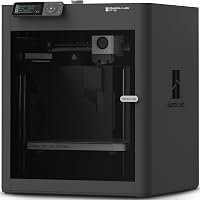
What Is AMS on a 3D Printer, and Do You Need One?
A 3D printer AMS is an automatic material system that feeds filament and switches between loaded spools during a print. Choose one for frequent multicolor projects or supported material changes; a single-spool setup is enough for most plain brackets, prototypes, and household parts.
On this page (8 sections)
- What does an AMS do on a 3D printer?
- Do you need an AMS for your projects?
- What should you check before buying an AMS?
- Which Bambu Lab Combo suits AMS printing?
- How should you set up your first AMS print?
- Can you use an AMS with one color?
- How do you reduce waste and keep an AMS feeding well?
- Is a 3D printer AMS worth buying?
A 3D printer AMS automates filament changes so a compatible printer can use different loaded colors or materials during a print. It's worth considering for regular multicolor projects, but ordinary single-color parts don't require one.
AMS stands for Automatic Material System in Bambu Lab's lineup. Before buying, choose around the objects you want to make, the materials they need, and the extra space and filament changes involved.
What does an AMS do on a 3D printer?
An AMS loads, feeds, and changes filament under the printer's control. Your slicer assigns colors or materials to parts of the model, then creates instructions for those changes.
It doesn't mix spools like paint to create any shade you want. A colored area uses the filament assigned to it, so your loaded colors need to match the result you expect.
Other brands have their own automatic feeders, but these systems aren't universal accessories. The printer and material system must be compatible with each other.
How a 3D printer AMS handles color changes
The system withdraws one filament and feeds another when the print instructions call for a change. With a shared nozzle, the printer also needs to clear the previous filament before continuing with the next color.
That process adds time and uses material beyond the finished object. A model with colored details on many layers can require far more changes than a sign with lettering only near the top.
Do you need an AMS for your projects?
You need an AMS mainly for frequent automated changes, rather than for basic printing. A single-spool printer can make brackets, organizers, replacement knobs, and prototypes without it.
Multicolor printing makes more sense for nameplates, readable labels, game pieces, and decorative models where color is part of the design. Automation is especially helpful when changes happen throughout the object.
For an occasional two-color sign, a planned manual change at a layer boundary may be enough if your printer supports that workflow. Printing separate colored pieces and assembling them is another option.
Start with our guide to 3D printers for beginners if you're still choosing a machine. If color is central to your plans, compare the best multicolor 3D printers.
What should you check before buying an AMS?
Check printer compatibility, filament support, spool fit, and workspace before choosing a system. A high color count won't help if your preferred material can't feed through it.
- Match the hardware: Confirm the exact printer and feeder combination, including any required connection parts.
- Check both material limits: A printer may accept a filament through its normal feed path even when its automatic feeder doesn't.
- Check spool fit: Diameter, width, and spool condition affect how freely a spool turns.
- Allow working room: Leave space for spool access, tubing, moving parts, and clearing discarded filament.
- Preview a real project: Slice something you want to make and inspect its change count, time, and material estimate.
Also separate multicolor from multi-material printing. Different colors of one compatible filament type are a simpler starting point than combining materials that need different temperatures or don't bond well.
Don't buy an AMS just to gain automatic drying. Drying is a model-specific feature, and storage protection and active drying serve different purposes.
Which Bambu Lab Combo suits AMS printing?
Choose the Combo around the printer and feeder features you'll use regularly. These bundles include different material systems, so they aren't interchangeable choices based only on the printer name.
P1S Combo: for buyers who need an enclosure
The Bambu Lab P1S Combo suits buyers who want an enclosed printer with an AMS for color and material projects. Automatic bed leveling also reduces one part of the initial setup.
The P1S supports up to 16 colors with the required AMS setup. That maximum doesn't mean the included system alone supplies all 16, so plan the full hardware arrangement before buying for a large color palette.
Skip this choice if your work is mostly simple PLA models and an enclosure doesn't serve a clear purpose. Our guide to 3D printer enclosures explains when enclosed printing helps.
Printer support for TPU or another material doesn't automatically mean it belongs in the AMS. Check the feeder's material guidance separately before loading it.
A1 Combo: for beginners making colorful décor
The Bambu Lab A1 Combo suits beginners who want multicolor projects with automatic calibration. It includes AMS lite and an LED Lamp Kit for compatible printed lamp designs.
The A1 calibrates Z-offset, bed leveling, vibration resonance, and nozzle pressure before each print. Its 256 × 256 × 256 mm build volume gives you a concrete size limit to compare with planned models.
Choose this bundle if decorative lights are on your project list, rather than treating the kit as a reason to buy by itself. Skip it if your material plans call for an enclosed machine.
Read our Bambu Lab A1 review for a closer look, or use the Bambu Lab A1 vs P1S comparison to narrow the printer choice.
P2S Combo: for buyers who want integrated drying
The Bambu Lab P2S Combo suits buyers who want active filament drying alongside automatic changes. Its AMS 2 Pro includes drying at up to 65 °C.
The printer also includes automatic calibration, quick-swap nozzles, and AI failure detection. Its adaptive airflow system balances cooling and heat retention for different printing needs.
Choose it when integrated material care will be part of your routine. Skip it if you mainly want occasional color accents and won't use its added features.
Set drying conditions for the specific filament and spool rather than defaulting to the highest temperature. For other printer choices, browse our Bambu Lab printers guide.
How should you set up your first AMS print?
Begin with one compatible filament and a small model, then add a second color once basic feeding works. This makes loading or profile mistakes easier to identify.
- Follow the system's assembly instructions and route tubes without sharp bends.
- Check that each spool turns freely and that loose filament isn't trapped under another winding.
- Load each filament into its assigned slot using the normal loading procedure.
- Match the slicer's slot assignments to the actual colors and materials.
- Inspect the preview, including supports, color changes, and any purge or prime structures.
- Watch the first layer and the first filament change before leaving the job to continue.
A model's screen colors don't prove that your spool assignments are correct. Check them again after changing a spool, even if you're reusing an earlier print file.
Automatic calibration handles machine adjustments, but you still need a clean build surface and suitable print settings. Don't change several settings at once when resolving a feeding or print-quality problem.
Can you use an AMS with one color?
Yes, one loaded color is enough, but it won't show the main benefit of automated changes. Buy around your expected workflow rather than filling every slot immediately.
Bambu Lab PLA Filament (RFID) is a 1.75 mm filament supplied here as a 1 kg black spool. In a compatible setup, RFID lets Bambu Studio identify the filament and configure its print settings.
It suits buyers who want black PLA and automatic profile identification. Skip this spool if you need another color or a material chosen for a different purpose, such as a flexible part.
RFID doesn't remove the need to check color assignments or keep filament dry. Our guide to PLA, PETG, and other beginner filaments can help you choose a starting material.
How do you reduce waste and keep an AMS feeding well?
Reduce waste by reducing unnecessary color changes, and prevent feeding trouble by keeping spools and the filament path in good condition. Design choices often matter more than the number of colors alone.
Group colored details where possible, or print separate colored parts for assembly. Compare orientations in the slicer because changing how a model sits can change where and how often filament swaps occur.
Don't lower purge settings blindly to save filament. Too little clearing can carry the previous color into the next area, especially during a dark-to-light change.
Store unused filament in suitable dry storage and follow its drying guidance when needed. Keep spool edges, rollers, and accessible feed areas clear of scraps, following the system's care instructions.
If feeding fails, pause and inspect spool movement and the filament path before forcing anything. Repeatedly pushing filament into a blocked route can make the problem harder to clear.
Is a 3D printer AMS worth buying?
A 3D printer AMS is worth buying for recurring multicolor work or supported material changes that would otherwise require frequent manual swaps. For mostly single-color household parts, begin with the printer and one suitable spool.
Choose the P1S Combo when an enclosure is part of your plan, the A1 Combo for colorful beginner projects and compatible lamp designs, or the P2S Combo when integrated drying has a clear role.
Before ordering, slice one model you actually want to print and review the total time and filament use. If you still need project ideas, explore what you can do with a 3D printer at home.
Frequently asked questions
What does AMS mean on a 3D printer?
AMS means Automatic Material System in Bambu Lab's printer lineup. It feeds filament and changes between loaded spools when instructed by the print file.
This supports automated color changes and compatible material changes, but the printer, feeder, filament, and software settings must all work together.
Is an AMS necessary for 3D printing?
No, a single spool is enough for a print that uses one filament throughout. An AMS becomes useful when you regularly make multicolor models or need supported material changes.
Beginners can learn slicing, bed preparation, and basic printing without adding a separate filament-handling system.
Does AMS waste filament?
Color changes can use extra filament because the nozzle must clear the previous material before printing the next color. Waste depends on the design and slicer settings, especially the number of changes across all layers.
Check the sliced preview and total material estimate before starting a large multicolor job.
Can you use any filament in an AMS?
No, filament must suit the specific AMS model, and its spool must fit the feeder. Printer support alone doesn't establish feeder compatibility, especially for flexible or brittle materials.
Check guidance for the exact system and filament, then use the recommended feed path and material profile.