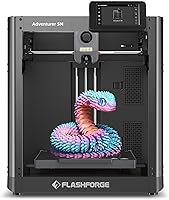
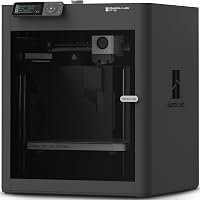
Flashforge Adventurer 5M vs Bambu Lab A1: Which Is Better? (October 2026)
For Flashforge Adventurer 5M vs Bambu A1, choose the A1 for easier beginner setup, larger projects and optional multicolor printing. Choose the Adventurer 5M for frequent nozzle changes and smaller single-color projects.
On this page (10 sections)
- Flashforge Adventurer 5M vs Bambu A1: which should you choose?
- Will your projects fit on either printer?
- Which printer makes setup easier?
- Does the Adventurer 5M's speed make it the better buy?
- Is AMS lite worth adding to the A1?
- Which printer suits frequent nozzle changes?
- What care keeps either printer useful?
- Which fits your room and connection preferences?
- What mistakes should you avoid before ordering?
- Flashforge Adventurer 5M vs Bambu A1: make the final choice
In the Flashforge Adventurer 5M vs Bambu A1 comparison, choose the A1 for beginner-friendly calibration, larger projects and optional multicolor printing. Choose the Adventurer 5M if your projects fit its smaller build area and you expect to change nozzle sizes often.
The biggest buying mistake is choosing by maximum speed alone. Model size, setup effort and the kind of objects you want to make will affect your daily use more than a headline motion figure.
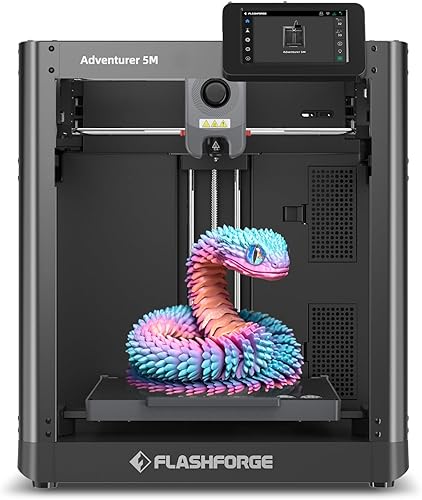

Flashforge Adventurer 5M vs Bambu A1: which should you choose?
The A1 is the stronger default choice for a first printer, while the Adventurer 5M suits buyers with a clear single-color workflow. Start with your next few projects, then choose the features those projects need.
Flashforge Adventurer 5M vs Bambu A1 by buyer
Choose the A1 if you want to make larger organizers, decorative models or signs with automatic color changes. Its broader calibration also suits someone who wants fewer manual adjustments while learning slicing and filament handling.
Choose the Adventurer 5M if you mainly plan smaller brackets, trays or prototypes and want to switch between fine detail and wider extrusion paths. Its quick nozzle system gives that workflow a clear reason to choose it.
Skip the Adventurer 5M if your must-have models exceed its build area or automatic multicolor printing is central to your plans. Skip the A1 if you would buy it mainly for color but have no intention of adding AMS lite.
If your main goal is tiny figures with fine surface detail, first read our resin vs FDM printer comparison. Choosing the right printing process matters before choosing between these 2 machines.
Will your projects fit on either printer?
The A1 gives you more room to keep a model in one piece. Its build volume is 256 x 256 x 256 mm, compared with 220 x 220 x 220 mm for the Adventurer 5M.
That extra space can matter for a wide tray, tall container or larger housing. For small clips and desk accessories, both may provide all the room you need.
Before buying, open 3 to 5 intended models in a slicer and set their final scale. A model that fits as a decoration may become too large when resized to fit your hand, shelf or equipment.
Allow space for supports, a brim or other adhesion aids. A part that barely fits the printable area may leave little room for the setup that helps it print successfully.
Rotation can help a long, narrow object fit, but it can also increase supports or change surface quality. Splitting a model adds joining work and may leave visible seams, so don't assume it is a free substitute for build space.
Bambu Lab uses a one-piece helmet as an example of the A1's capacity. Check the actual helmet dimensions and your required size before using that example as a buying reason.
Our 3D printer buying guide for beginners explains how to match build area and printer features to your planned objects.
Which printer makes setup easier?
The A1 handles more calibration tasks automatically, making it the better fit if reducing manual adjustment leads your priorities. The Adventurer 5M also handles bed leveling automatically.
For each print, the A1 calibrates bed level, Z-offset, vibration resonance and nozzle pressure. It also has active flow rate compensation, which adjusts extrusion using sensor readings.
The Adventurer 5M focuses on automatic leveling as a key setup aid. Its Flash Studio app supports progress monitoring, remote settings adjustments and status alerts.
Neither approach removes the physical preparation. Assemble and position the printer according to its instructions, remove packing materials and check that cables and filament can move without snagging.
Use a firm surface and leave room for moving parts, spool access and routine cleaning. Build volume describes printable space, so measure the full working area rather than choosing a table from that number.
For the first print, use the correct printer and material profiles with a simple model. Watch the first layer before leaving the printer to continue, since poor adhesion is easier to address before more material builds up.
If the purpose of leveling is unclear, our guide to how to level a 3D printer explains what automation handles and what still needs attention.
Does the Adventurer 5M's speed make it the better buy?
The Adventurer 5M has stronger maximum motion figures, but they don't establish a print-time winner. Choose it for a suitable workflow rather than a promise that every job will finish sooner.
Flashforge specifies up to 600 mm/s travel speed and 20,000 mm/s² acceleration. The A1's specified acceleration is 10,000 mm/s².
Travel speed concerns movement between extrusion paths, while acceleration affects how quickly motion changes speed. Small shapes, short paths and sharp corners may prevent a printer from spending much time at its maximum.
The Adventurer 5M also has a 32 mm³/s high-flow nozzle, dual-fan cooling and vibration compensation. Those features support its high-speed design, but material flow and cooling still limit useful speed.
For a fair time estimate, slice the same model with suitable profiles for each printer. Match layer height, wall count, infill and supports, since changing those settings can alter both time and the finished part.
Include preparation and finishing in your decision. A shorter print that needs more support removal may save less time than you expect, especially across repeated jobs.
Is AMS lite worth adding to the A1?
Add AMS lite if automatic color changes solve a recurring project need. It makes sense for multicolor signs, decorative objects and models with color details that would otherwise need painting or separate parts.
The A1 requires AMS lite for this capability, available separately or with the A1 Combo. Check the package carefully so you don't plan a multicolor project around a printer-only purchase.
Quick nozzle changes serve a different purpose. They help with maintenance or changing extrusion size, rather than automatically selecting different filament colors during a job.
Multicolor printing also needs planning beyond choosing colors. Color changes can add time and waste material, with the amount depending on the model and how often it switches.
A design with separate colored pieces may be simpler to print in individual batches and assemble afterward. For a plain bracket or storage bin, a single filament color may already do everything needed.
Read our guide to AMS and whether you need one before making multicolor capability the deciding factor.
Which printer suits frequent nozzle changes?
The Adventurer 5M is the clearer choice if changing nozzle sizes is part of your plan. Flashforge specifies 3-second nozzle changes, while the A1 uses a 1-clip quick-swap nozzle.
The Adventurer 5M includes a 0.4 mm nozzle and accepts optional sizes from 0.25 to 0.8 mm. That gives you a defined range for different kinds of projects.
Smaller nozzles can help with narrow features and fine lettering, though they usually increase print time. Larger nozzles can lay wider paths for simpler parts, but they won't preserve every small feature.
Start with the included nozzle before buying several alternatives. Learn what your regular models need, then change size to solve a specific problem rather than collecting options.
After changing nozzle size, select the matching slicer profile and follow the printer's calibration instructions. A physical swap without a matching profile can cause poor extrusion or unsuitable toolpaths.
The swap mechanism also doesn't replace safe handling. Follow the required temperature and power steps, and never assume a quick-release part is cool enough to touch.
What care keeps either printer useful?
Clean surfaces, suitable filament and basic inspection matter on both machines. Automatic adjustments work best when the printer is physically ready to print.
Keep the build surface free of fingerprints and residue, using the cleaning method approved for that surface. The Adventurer 5M has a dual-sided PEI platform, so take care of both usable faces.
Let parts cool as directed before removal, and avoid forcing a stuck print off with an unsuitable tool. Damage to the surface can create an adhesion problem that calibration cannot repair.
Store filament away from moisture and identify each spool clearly. If extrusion becomes rough or inconsistent, check the material's condition and recommended drying guidance before making large profile changes.
Inspect the nozzle area for buildup and keep scraps away from moving parts. Follow the model's maintenance schedule for lubrication and other service rather than applying oil wherever a rail or rod is visible.
Choose filament for the complete printer setup, not just nozzle temperature. The Adventurer 5M's 280°C direct extruder is one specification, while successful material use also depends on the bed, cooling, environment and suitable profiles.
Our guide to filament for beginners helps you choose a starting material without adding needless difficulty.
Which fits your room and connection preferences?
The A1 offers more connection choices, while the Adventurer 5M offers app-based progress controls. Decide how you want to send jobs and check progress before placing either printer.
The A1 supports Bambu Cloud Service or LAN-only mode. That choice matters if you prefer a local network workflow over a cloud connection.
The Adventurer 5M's Flash Studio features suit someone who wants mobile status alerts and remote progress checks. Remote access is useful, but a progress screen doesn't prepare the plate or clear a failed print.
Bambu Lab says the A1's active motor noise canceling reduces motor noise. Fans and movement can still affect how a printer sounds, so a stable table away from your main work area remains useful.
Leave access for filament loading, part removal and maintenance. A printer that fits tightly into a corner may be awkward to use even when its base fits the furniture.
For placement advice, see our guide to making a 3D printer quieter, especially if it will share a room with work or study.
What mistakes should you avoid before ordering?
Check model fit, package contents and your intended workflow before committing. Those checks prevent more buying mistakes than comparing isolated specifications.
| Common mistake | Better approach |
|---|---|
| Choosing only by maximum speed | Compare complete jobs with matching print settings |
| Assuming a large model will fit | Open it at final scale and allow room for supports |
| Expecting multicolor from any A1 package | Confirm AMS lite is included if you need it |
| Buying several nozzle sizes immediately | Start with the standard setup and identify a real need |
| Treating calibration as maintenance | Keep the plate, nozzle area and filament in suitable condition |
Avoid changing speed, temperature, retraction and cooling together when a print fails. Make one change at a time so you can see which adjustment helped.
Also distinguish a poor model from a printer problem. Thin walls, unsupported overhangs and an awkward orientation can create failures even when the machine is prepared correctly.
Choose a small first project with a broad base and few overhangs. Move to taller, finer or more complex objects once you understand the basic workflow.
Flashforge Adventurer 5M vs Bambu A1: make the final choice
Choose the A1 when your project list includes larger parts, automatic color changes or a strong preference for broader calibration. Choose the Adventurer 5M when your models fit comfortably and changing nozzle sizes serves work you actually plan to do.
For your Flashforge Adventurer 5M vs Bambu A1 decision, write down your largest planned model, whether it needs automatic color changes and the nozzle sizes your projects require. If the answers don't create a clear reason for the Flashforge, the A1 is our default beginner recommendation.
Before ordering, use our Bambu Lab A1 review or Flashforge Adventurer 5M review to focus on the model that fits those needs.
Frequently asked questions
Is the Flashforge Adventurer 5M or Bambu Lab A1 better for beginners?
The Bambu Lab A1 is the stronger beginner choice because its automatic calibration covers more setup tasks and its touchscreen simplifies control. The Adventurer 5M still suits beginners who mainly want smaller single-color projects and convenient nozzle changes.
Either printer requires basic care, suitable filament and attention to the first layer.
Which printer has the larger build volume?
The Bambu Lab A1 has the larger build volume at 256 x 256 x 256 mm, compared with the Adventurer 5M's 220 x 220 x 220 mm. Check your model at its intended scale in a slicer, including supports and adhesion aids, before assuming it will fit.
Can both printers print in multiple colors?
The A1 supports automatic multicolor printing with AMS lite, available separately or with the A1 Combo. Choose that route if color changes are a main buying reason.
The Adventurer 5M's quick nozzle changes serve a different purpose and should not be treated as an automatic multicolor system.
Does 600 mm/s mean the Adventurer 5M finishes prints faster?
No, the Adventurer 5M's maximum travel speed does not establish which printer finishes a model sooner. Travel moves happen between extrusion paths, while total print time also includes depositing material, cooling and preparation.
Compare the same model with suitable printer profiles, matching layer height, walls, infill and support settings.
Do automatic calibration features replace routine care?
No, automatic calibration reduces adjustment work but does not clean the build surface, dry filament or remove debris. Keep the plate clean, inspect the nozzle area and follow the printer's maintenance instructions.
If a first layer fails repeatedly, check those basics and the selected material profile before changing several settings.